728x90
출처
- Orange Pi 5 Pro
- GitHub - NotPunchnox/web-client-rkllm: Web client for rkllama
- GitHub - NotPunchnox/rkllama: Ollama alternative for Rockchip NPU: An efficient solution for running AI and Deep learning models on Rockchip devices with optimized NPU support ( rkllm )
소스 다운로드
orangepi@orangepi5pro:~/Llama$ source .venv/bin/activate
(.venv) orangepi@orangepi5pro:~/Llama$ git clone https://github.com/NotPunchnox/web-client-rkllm.git
실행
(.venv) orangepi@orangepi5pro:~/Llama$ cd web-client-rkllm/
orangepi@orangepi5pro:~/Llama/web-client-rkllm$ ./start.sh
Node.js is already installed (version: v24.11.1).
Starting rkllama Web Server on port 3000...
 ERROR  Cannot copy server address to clipboard: Couldn't find the `xsel` binary and fallback didn't work. On Debian/Ubuntu you can install xsel with: sudo apt install xsel.

   ┌───────────────────────────────────────────┐
   │                                           │
   │   Serving!                                │
   │                                           │
   │   - Local:    http://localhost:3000       │
   │   - Network:  http://192.168.0.218:3000   │
   │                                           │
   └───────────────────────────────────────────┘

rkllama Web Server is now running at http://localhost:3000
Port used: 3000
Press Ctrl+C to stop the server.
script.js 수정
(.venv) orangepi@orangepi5pro:~/Llama/web-client-rkllm$ vi src/js/script.js// const API_URL = 'http://localhost:8080/';
const API_URL = 'http://192.168.0.218:8080/';
// sendBtn.addEventListener('click', sendMessage);
sendBtn.addEventListener('click', sendChat);
userInput.addEventListener('keypress', (e) => {
if (e.key === 'Enter') sendChat(); // sendMessage();
});
async function sendChat() {
const modelName = modelSelect.value;
if (!modelName) return;
// Prevent double sending
if (requestInProgress) return;
const message = userInput.value.trim();
const selectedModel = modelSelect.value;
if (!message) return;
if (!selectedModel) {
addMessage('error', 'Please select a model first');
return;
}
// Add user message to chat
addMessage('user', message);
HISTORY.push({ role: 'user', content: message });
userInput.value = '';
// Prepare for sending
requestInProgress = true;
chatLoading.style.display = 'flex';
try {
const response = await fetch(API_URL + '/v1/chat/completions', {
method: 'POST',
headers: { 'Content-Type': 'application/json' },
body: JSON.stringify({ model: modelName, messages: HISTORY, stream: true })
});
if (!response.ok) {
const errorData = await response.json();
throw new Error(errorData.error || 'Failed to generate response');
}
// Create message container
const messageDiv = document.createElement('div');
messageDiv.className = 'message';
// Add author
const authorSpan = document.createElement('strong');
authorSpan.textContent = `RKLLAMA (${selectedModel}): `;
messageDiv.appendChild(authorSpan);
// Add content container for streaming
const contentContainer = document.createElement('div');
contentContainer.className = 'message-content';
messageDiv.appendChild(contentContainer);
chatBox.appendChild(messageDiv);
// Stream response - définir reader ici
const reader = response.body.getReader();
const decoder = new TextDecoder('utf-8');
let assistantMessage = '';
// Fonction pour lire le stream
async function readStream() {
let done = false;
while (!done) {
const { value, done: doneReading } = await reader.read();
done = doneReading;
if (done) break;
const chunk = decoder.decode(value, { stream: true });
try {
const lines = chunk.split('\n');
for (const line of lines) {
if (!line.trim()) continue;
jsonChunk = '';
if (line.startsWith("data: ")) {
const jsonString = line.replace(/^data:\s*/, "");
jsonChunk = JSON.parse(jsonString);
} else {
jsonChunk = JSON.parse(line);
}
// const jsonChunk = JSON.parse(line);
console.log(jsonChunk);
if (jsonChunk.choices && jsonChunk.choices[0].delta && jsonChunk.choices[0].delta.content) {
assistantMessage += jsonChunk.choices[0].delta.content;
processContent(contentContainer, assistantMessage);
chatBox.scrollTop = chatBox.scrollHeight;
}
}
} catch (e) {
console.error('Error parsing chunk:', e);
}
}
}
await readStream();
// Add to history and save conversation
HISTORY.push({ role: 'assistant', content: assistantMessage });
saveConversation();
} catch (error) {
addMessage('error', error.message);
} finally {
requestInProgress = false;
chatLoading.style.display = 'none';
}
}
async function showModelInfo() {
const modelName = modelSelect.value;
if (!modelName) return;
try {
// Show loading state
// modelSelect.disabled = true;
const res = await fetch(API_URL + 'api/show', {
method: 'POST',
headers: { 'Content-Type': 'application/json' },
body: JSON.stringify({ name: modelName })
});
if (!res.ok) throw new Error('Failed to fetch models');
const data = await res.json();
console.log('showApi.data = ' + data);
/*
modelSelect.innerHTML = '<option value="">Select a model</option>';
if (data.models && data.models.length > 0) {
data.models.forEach(model => {
modelSelect.innerHTML += `<option value="${model}">${model}</option>`;
});
addMessage('system', `${data.models.length} models available. Select one to start chatting.`);
} else {
addMessage('system', 'No models available. Download a model to get started.');
}
*/
} catch (err) {
console.error('Error loading models:', err);
addMessage('error', `Could not load models: ${err.message}`);
}
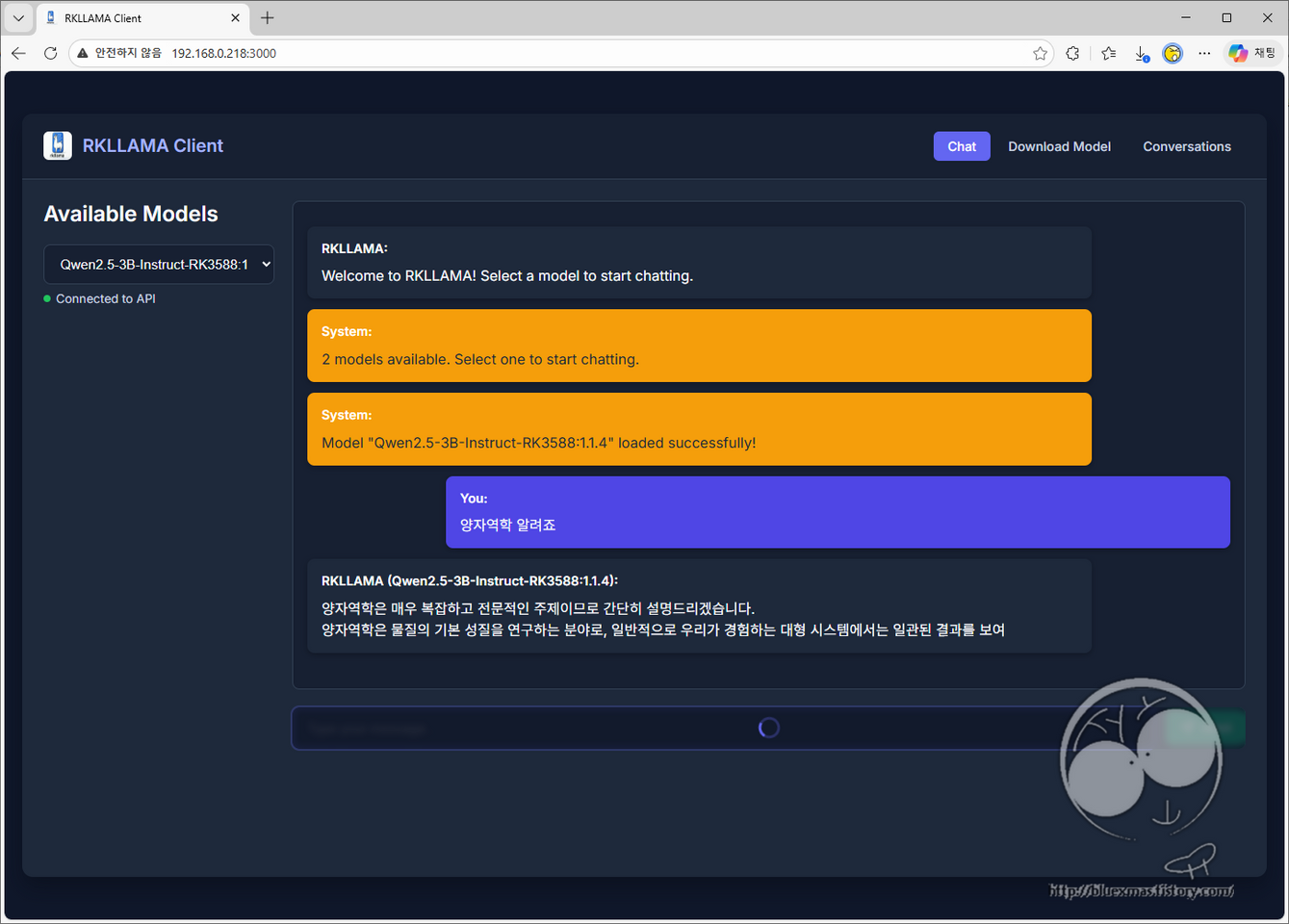
}브라우저 실행
728x90